# Pinterest — Frontend Mini LLD
Framework: Next.js 15 (App Router) · React 19 · Tailwind CSS 4
Key libraries: @tanstack/react-virtual (masonry virtualization) · @pinterest/shared (types + env)
Scope: Search page, Pin Creation page, Masonry grid, Suggestions, Image loading, Pin detail (minimal)
Companion doc: FRONTEND_HLD.md — high-level design (RADIO): requirements, architecture, data model, interface (API), optimizations & deep dive
#
Dependencies (apps/web/package.json)
next ^15          App Router, RSC, next/image, API rewrites
react ^19         Server + Client Components
@tanstack/react-virtual ^3   Masonry virtualization
@pinterest/shared *          PinGridItem, PinDetail, env schemas (Zod)
tailwindcss ^4    Styling (dev)
typescript ^5.7   Type checking (dev)
# 1. Route Structure
app/
├── layout.tsx                  ← Root layout — sticky header (logo + Create nav)
├── page.tsx                    ← Redirect to /search
│
├── search/
│   ├── page.tsx                ← Server Component — blocking SSR (5 pins) + PinBrowser
│   └── error.tsx               ← Error boundary for ES failures
│
├── pin/
│   ├── create/
│   │   └── page.tsx            ← Server Component wrapper → PinCreateForm (client)
│   └── [id]/
│       ├── page.tsx            ← Server Component — fetches pin, renders PinDetailView
│       └── not-found.tsx
│
└── (no app/api routes — /api/* rewrites to apps/api via next.config.ts)
# Auth boundaries
Auth is not implemented in the case study. Routes and APIs are annotated so a reviewer can see what would be gated in production:
| Route / API | Access |
|---|---|
/search, /pin/[id] |
Public |
GET /api/search, GET /api/suggestions |
Public |
/pin/create, POST /api/pins, POST /api/pins/upload-url |
Protected |
# 2. Server Component vs Client Component Split
The core decision: keep data fetching on the server, push interactivity to the client boundary.
Legend:  [S] = Server Component   [C] = Client Component
         'use client' directive marks the boundary
# Search Page
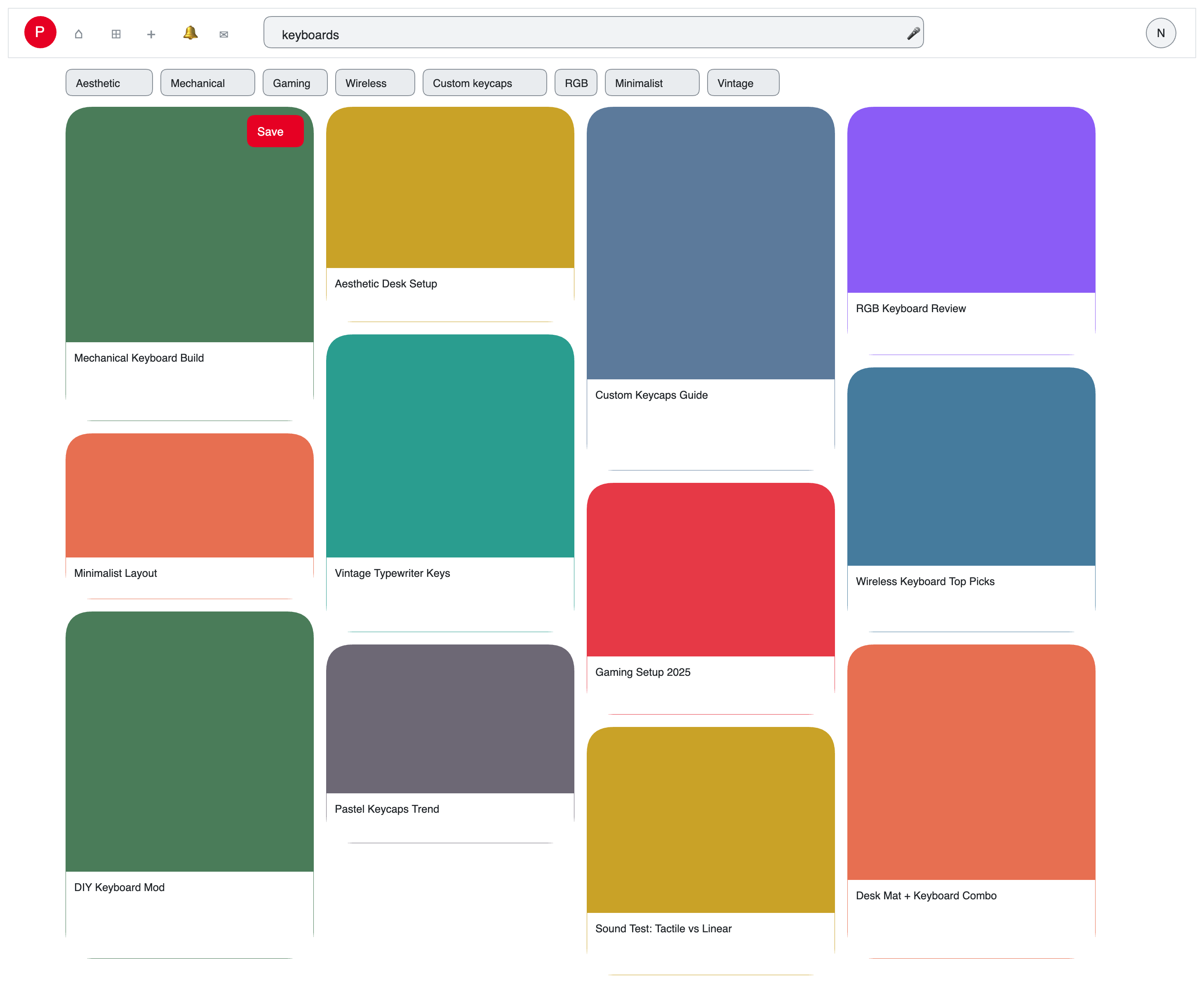
[S] SearchPage (app/search/page.tsx)
     │  Blocking SSR: fetches 5 above-fold pins only (ABOVE_FOLD_PINS).
     │  Estimates container width from Client Hints / UA for correct column layout on first paint.
     │  No Suspense boundary — response closes immediately for fast hydration.
     │
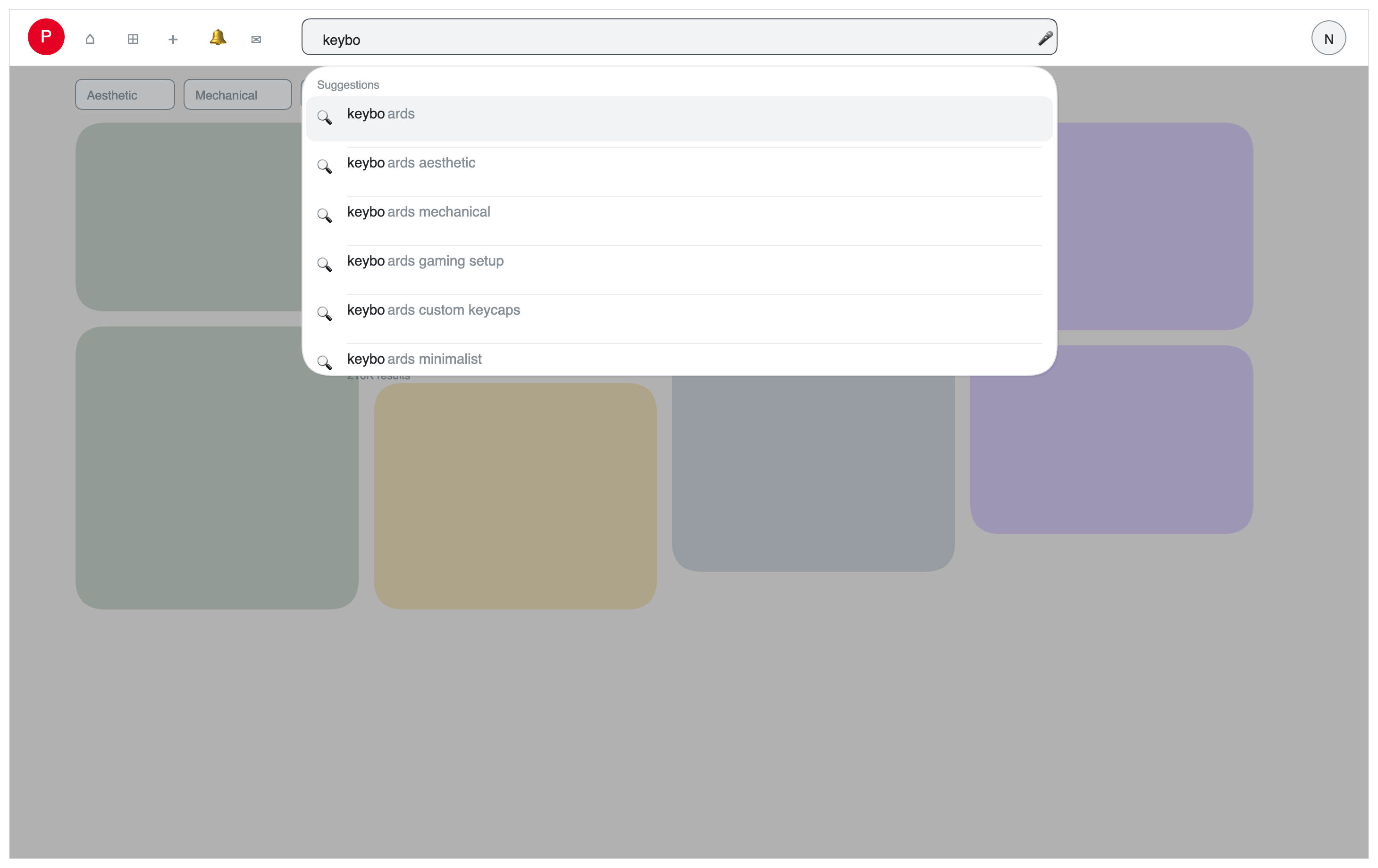
     ├── [C] SearchBar
     │         Interactive: controlled input, focus state, submit handler, useTransition pending state
     │    └── [C] SuggestionsDropdown (lazy)
     │              Interactive: debounce, AbortController, keyboard nav
     │
     └── [C] PinBrowser
               Owns grid ↔ pin-detail view switch; snapshots grid state via onStateChange
               │
               ├── [C] VirtualMasonryGrid  (grid view)
               │         SSR: renders initial 5 pins with pre-calculated positions
               │         Client: viewport-fill fetch on mount, @tanstack/react-virtual, infinite scroll
               │    └── [C] PinCard[]
               │              href=/pin/:id kept; click calls onPinClick (prevents default)
               │              next/image with dominant_color placeholder layer
               │
               └── [C] PinDetailView  (pin view — client-fetched via GET /api/pins/:id)
                         Back button, hero image, description
# Pin Creation Page
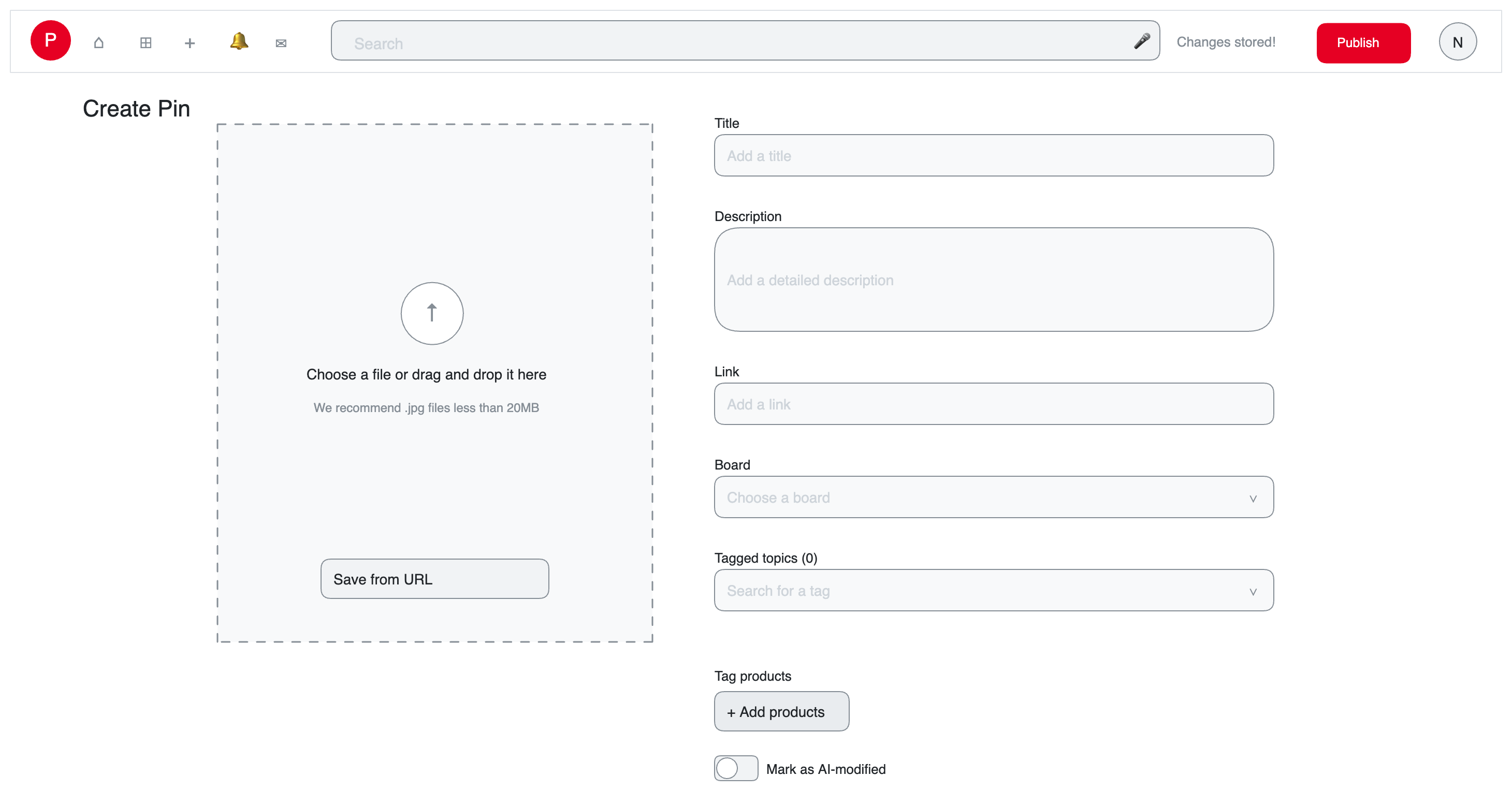
[S] CreatePinPage (app/pin/create/page.tsx)
     │  Thin server wrapper — title + layout only
     │
     └── [C] PinCreateForm
               Drag & drop / file input, validation (type, 20MB limit)
               POST /api/pins/upload-url → XHR PUT to S3 presigned URL (progress bar)
               Controlled description textarea
               Submit: POST /api/pins → navigate /pin/:id?published=1
# Pin Detail Page
[S] PinDetailPage (app/pin/[id]/page.tsx)
     │  Fetches pin from Postgres on server. Public, no auth.
     │  Passes pin data to shared client component.
     │
     └── [C] PinDetailView
               Hero: pin.images['736w'] ?? pin.images.original on dominant_color background
               Description heading
               BackButton — router.back() when history exists, else /search?q=
               Published banner when ?published=1 (stripped from URL via router.replace)
In-search pin detail (from grid click): PinBrowser calls pushState('/pin/:id'), fetches GET /api/pins/:id client-side, renders the same PinDetailView. Browser back (popstate) clears the active pin and remounts VirtualMasonryGrid with saved pins/cursor from PinBrowser refs — scroll position and all loaded pages are preserved. PinCard keeps href=/pin/:id so right-click → open in new tab hits the full SSR page.
# 3. State Management
No global state manager. State is scoped to the component that owns it.
| State | Owner | Storage |
|---|---|---|
| Search query | URL (?q=) |
useSearchParams() — URL is source of truth |
| Cursor (pagination) | VirtualMasonryGrid |
React useRef — client-only, never in URL |
| Grid pins snapshot | PinBrowser |
useRef — updated via onStateChange; restored on grid remount |
| Active pin (from grid) | PinBrowser |
useState — id + fetched PinDetail |
| Suggestions dropdown open | SearchBar |
useState — local UI state |
| Suggestions list | SuggestionsDropdown |
useState — from API response |
| Masonry column positions | VirtualMasonryGrid |
useMemo from calcPositions in lib/masonry.ts |
| Upload / publish phases | PinCreateForm |
useState machine (idle → uploading → …) |
Pin creation pin_id |
PinCreateForm |
useRef — set after presigned URL received |
| Scroll position | Browser | window.scrollY — preserved across pushState/back |
Why URL for search query only? Shareable links, browser back/forward, SSR reads searchParams directly — no hydration mismatch, no prop drilling. The pagination cursor is opaque and session-scoped; it stays in a client useRef, not the URL.
# 4. Data Fetching
# Search Page — initial load (blocking SSR)
// app/search/page.tsx  — Server Component
const ABOVE_FOLD_PINS = 5;

export default async function SearchPage({ searchParams }) {
  const { q = "" } = await searchParams;
  const first5 = await fetchSearch(q, undefined, ABOVE_FOLD_PINS);
  const serverWidth = resolveContainerWidth(/* Client Hints + UA */);
  return (
    <main>
      <SearchBar defaultValue={q} />
      <PinBrowser
        key={q}
        initialPins={first5.pins}
        initialCursor={first5.next_cursor}
        q={q}
        serverWidth={serverWidth}
      />
    </main>
  );
}
Five pins land in the initial HTML. VirtualMasonryGrid fetches the viewport-fill batch on mount — no Suspense stream, no re-fetch of the first 5 on hydration.
# Suggestions — client side
// Inside SearchBar (Client Component)
const abortRef = useRef<AbortController | null>(null);

const onQueryChange = useDebouncedCallback(async (q: string) => {
  abortRef.current?.abort(); // cancel in-flight request
  abortRef.current = new AbortController();
  const res = await fetch(`/api/suggestions?q=${q}`, {
    signal: abortRef.current.signal,
  });
  setSuggestions(await res.json());
}, 200);
# Infinite scroll — CSR
// Inside VirtualMasonryGrid (Client Component)
async function loadNextPage() {
  const res = await fetch(`/api/search?q=${query}&cursor=${cursorRef.current}`);
  const { pins, next_cursor } = await res.json();
  cursorRef.current = next_cursor;
  setPins((prev) => [...prev, ...pins]); // triggers masonry recalc via rAF
}
# 5. Masonry Grid — Implementation Detail
# Column calculation
function calcColumnCount(containerWidth: number): number {
  if (containerWidth < 600) return 2;
  if (containerWidth < 900) return 3;
  if (containerWidth < 1200) return 4;
  return 5;
}

function calcPositions(
  pins: Pin[],
  colCount: number,
  colWidth: number,
  gap: number,
) {
  const colHeights = new Array(colCount).fill(0);
  return pins.map((pin) => {
    const col = colHeights.indexOf(Math.min(...colHeights)); // shortest column
    const top = colHeights[col];
    const left = col * (colWidth + gap);
    const height = Math.round((pin.height / pin.width) * colWidth); // no layout shift
    colHeights[col] += height + gap;
    return { top, left, height, col };
  });
}
Why stored dimensions matter: pin.height / pin.width is known at render time (extracted by Sharp at upload). The browser calculates pixel height before the image loads — the DOM slot is sized correctly from the first paint. Zero CLS.
# Virtualization
Uses @tanstack/react-virtual (useWindowVirtualizer) with a custom rangeExtractor that iterates masonry slot positions — the library's default sequential height model is wrong for multi-column masonry where items 0–4 share top=0.
// Simplified — actual code in VirtualMasonryGrid.tsx
rangeExtractor: (range) => {
  const scrollY = virtualizer.scrollOffset ?? 0;
  const vh = window.innerHeight;
  return pins
    .map((_, i) => i)
    .filter((i) => {
      const pos = positions[i];
      return pos.top + pos.height >= scrollY - OVERSCAN && pos.top <= scrollY + vh + OVERSCAN;
    });
},
Off-screen pins render as empty div placeholders at their pre-calculated positions. Container height comes from calcPositions totalHeight, not virtualizer.getTotalSize().
# Paint scheduling
// Resize-driven: debounced ResizeObserver on the grid container (~150ms)
const ro = new ResizeObserver(() => {
  debounce(() => requestAnimationFrame(() => setContainerWidth(el.offsetWidth)), 150);
});

// Scroll-driven: handled internally by @tanstack/react-virtual via useSyncExternalStore
# 6. Image Loading Strategy
function PinCard({ pin, isAboveFold }: { pin: Pin; isAboveFold: boolean }) {
  const [loaded, setLoaded] = useState(false);
  const [retried, setRetried] = useState(false);
  const [failed, setFailed] = useState(false);

  function handleError(e: React.SyntheticEvent<HTMLImageElement>) {
    if (!retried) {
      setTimeout(() => {
        e.currentTarget.src = e.currentTarget.src; // force retry
        setRetried(true);
      }, 2000);
    } else {
      setFailed(true); // permanent failure — show icon overlay, keep slot
    }
  }

  return (
    <div
      role="listitem"
      aria-label={pin.description}
      style={{
        position: 'absolute',
        top: position.top,
        left: position.left,
        width: colWidth,
        height: position.height,
        backgroundColor: pin.dominant_color,      // placeholder fills immediately
        borderRadius: 16,
        overflow: 'hidden',
      }}
    >
      <img
        src={pin.images['474w']}
        srcSet={`${pin.images['236w']} 236w, ${pin.images['474w']} 474w`}
        sizes="(max-width: 600px) 50vw, (max-width: 900px) 33vw, 25vw"
        fetchPriority={isAboveFold ? 'high' : undefined}
        loading={isAboveFold ? undefined : 'lazy'}
        alt={pin.description}
        width={pin.width}
        height={pin.height}
        onLoad={() => setLoaded(true)}
        onError={handleError}
        style={{ opacity: loaded && !failed ? 1 : 0, transition: 'opacity 0.2s' }}
      />
      {failed && (
        <div className="absolute inset-0 flex items-center justify-center" aria-hidden="true">
          <BrokenImageIcon className="opacity-40" />  {/* subtle overlay on dominant_color */}
        </div>
      )}
    </div>
  );
}
Above-the-fold detection: The first Math.ceil(colCount * 1.5) pins in position order are considered above the fold and receive fetchPriority="high". All others get loading="lazy".
# 7. Accessibility Implementation
// Grid container
<ul role="list" aria-label="Search results">

  {/* Each pin */}
  <li role="listitem" aria-label={pin.description}>
    <img alt={pin.description} ... />
  </li>

</ul>

{/* Infinite scroll live region */}
<div aria-live="polite" aria-atomic="true" className="sr-only">
  {isLoading ? 'Loading more pins' : newPinsCount > 0 ? `${newPinsCount} new pins loaded` : ''}
</div>

{/* Suggestions dropdown */}
<div role="listbox" aria-label="Search suggestions" id="suggestions-list">
  {suggestions.map((s, i) => (
    <div
      role="option"
      id={`suggestion-${i}`}
      aria-selected={highlightedIndex === i}
      key={s}
    >
      {s}
    </div>
  ))}
</div>

{/* Search input binding */}
<input
  type="search"
  aria-label="Search pins"
  aria-autocomplete="list"
  aria-controls="suggestions-list"
  aria-activedescendant={highlightedIndex >= 0 ? `suggestion-${highlightedIndex}` : undefined}
/>
Keyboard navigation in suggestions:
| Key | Action |
|---|---|
↓ |
Move highlight down |
↑ |
Move highlight up |
Enter |
Submit highlighted suggestion or current input |
Escape |
Close dropdown, return focus to input |
Tab |
Close dropdown, move focus forward |
# 8. Pin Upload Flow — Client Sequence
1. User selects file (drop or input[type=file])
   → Validate: type ∈ {image/jpeg, image/png}, size ≤ 20MB
   → Show preview (FileReader → object URL)

2. POST /api/pins/upload-url
   ← { pin_id, upload_url, expires_in: 300 }

3. PUT upload_url  (XMLHttpRequest for progress events, not fetch)
   → onprogress: update UploadProgress bar
   → onload: mark upload complete — Publish button enabled

4. User submits description → POST /api/pins { pin_id, description }
   ← { status: 'processing' }   ← internal API status; UI treats this as Published

5. Navigate to /pin/:id?published=1
   → Detail page shows published confirmation + image (original fallback until 736w exists)
   → Sharp variant generation and ES indexing continue in background — invisible to user
User-facing vs internal status: processing in the API means Sharp is generating variants. The frontend never surfaces this. Once upload + description submit succeed, the Pin is Published from the user's perspective.
Why XHR for S3 upload instead of fetch: fetch doesn't expose upload progress via a standard API. XMLHttpRequest.upload.onprogress gives byte-level progress for the progress bar.
# 9. Error Boundaries
app/search/error.tsx      — catches ES failures, shows "Search unavailable" + retry
app/pin/[id]/error.tsx    — catches pin detail fetch failures
Within the grid:
- Image load failure → silent retry → dominant color placeholder (handled in
PinCard, not error boundary) - Next-page fetch failure → inline loading state in
VirtualMasonryGrid(logged to console; not a thrown error)
# 10. Core Web Vitals Targets
| Metric | Target | How enforced |
|---|---|---|
| LCP (search results) | < 2.5s | priority on first 6 PinCards; 5 pins in blocking SSR HTML |
| CLS (masonry grid) | < 0.1 | Image dimensions stored at upload; slots pre-sized |
| INP (scroll interaction) | < 200ms | @tanstack/react-virtual caps DOM size; passive scroll via virtualizer |
| TTFB (search page) | < 600ms | Blocking SSR (5 pins only) + CDN cache for hot queries |
| FID / TBT | < 300ms TBT | Masonry recalc via rAF/rIC avoids long tasks; image decode is off main thread |
# 11. Bundle Strategy
app/search/page.tsx           → Server Component (zero JS bundle cost)
PinBrowser                    → Client Component — view switch + state preservation
VirtualMasonryGrid            → Client Component, SSR-enabled (renders initial 5 pins on server)
SuggestionsDropdown           → lazy-loaded on first focus of search bar
PinCreateForm                 → loaded via /pin/create route split
Route-level code splitting is automatic with Next.js App Router. Component-level dynamic imports are used for suggestions (defer until focus) and the pin creation bundle (large, infrequently needed). VirtualMasonryGrid is not ssr: false — the first page of pins ships in the streamed HTML for LCP.